Use searXNG in Dify

Tavily is down again, even with a VPN. There’s an urgent need for an open-source search engine replacement, and searXNG is a good choice. Both searXNG and Dify are still relatively young, with some issues in project design and usability—you’ll experience these firsthand. If you install it following the official website or some video tutorials, … Read more

How I Made MagicToy Clipboard 100 times faster

MagicToy‘s clipboard supports copying of text, formatted code, images, etc. When users copy a large number of images, the clipboard will become very laggy. MagicToy is dedicated to providing users with useful tools, and a laggy clipboard is a million miles away from being “useful”. Taking the opportunity to add the Paste directly into another … Read more

Transform SCWindow coordinate

(Machine Translated) The coordinate system we use most is the standard Cartesian plane right-angle coordinate system, which takes the lower-left corner of the screen as the origin and increases the y coordinate upwards and the x coordinate to the right. SCWindow’s coordinates, on the other hand, are flipped coordinates with the upper-left corner of the … Read more

Webview2 Tauri bypass CORS

item version tauri 2.0.0-rc Prerequisites When you use javascript at foo.com to access bar.com/api, you may encounter an error like the one below (but you are able to access it using curl): First you need to understand a few concepts: https://developer.mozilla.org/en-US/docs/Web/HTTP/Headers How to fix this in Tauri You can call rust in js to send … Read more

Search Chinese in Electron

This is a quick demo of how to use js-search, nodejieba to implement Chinese search in Electron. It’s fast, real-time, faster than any other chinese search solutions, fast like never before. tech version electron 30.0.6 nodejieba 2.6.0 js-search 2.0.1 This article will walk you through a number of issues you may encounter when using npm … Read more

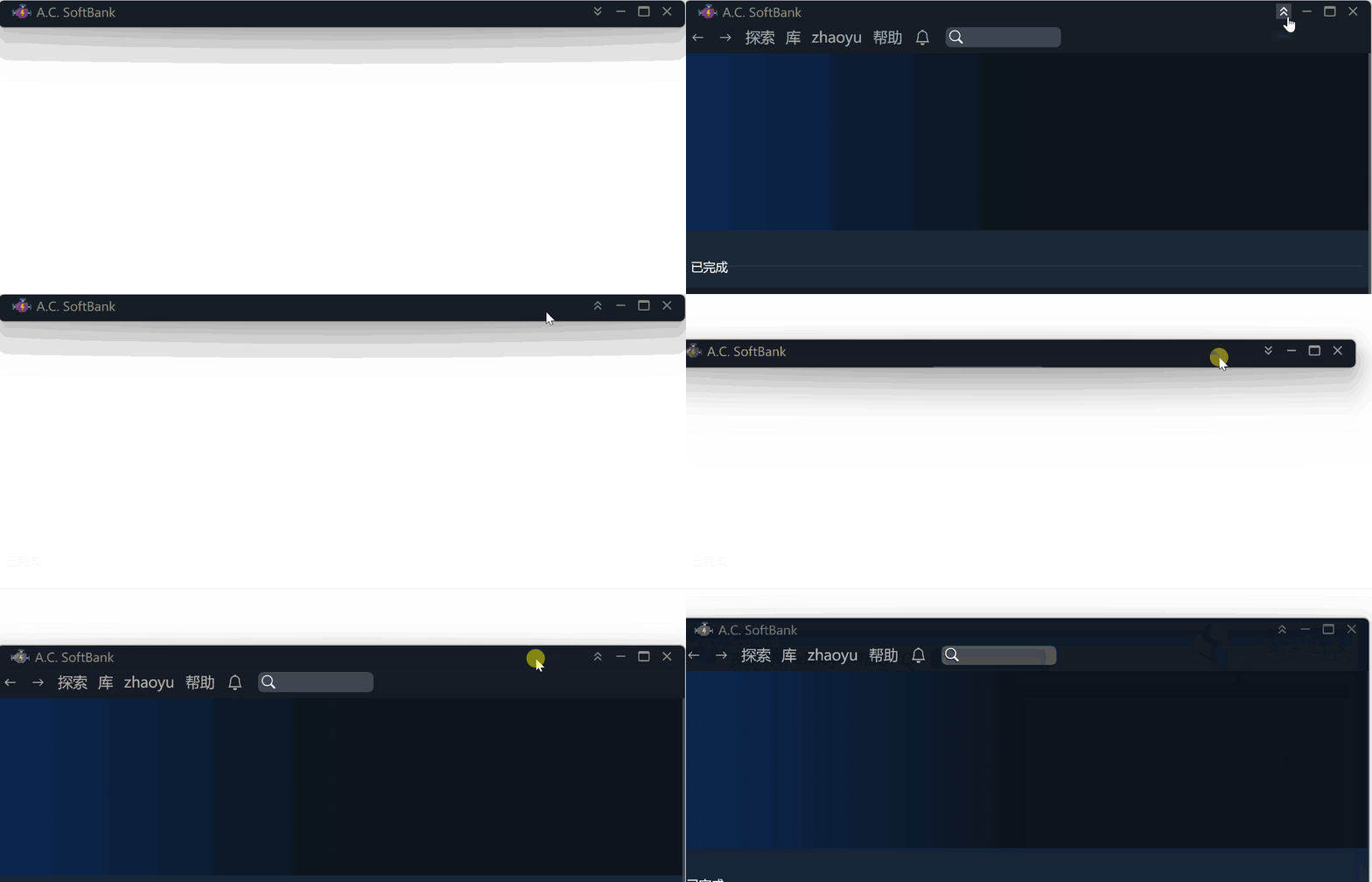
Electron Linux 风格标题栏

本文将演示如何在 Electron 中快速实现一个标题栏,可以卷起,拖动,并带你进一步了解 Electron 的 bug。 隐藏默认标题栏 在你创建 BrowserWindow 的方法中,指定以下参数: 编写自己的标题栏 现在默认的标题栏已经消失了,你应该编写一个 div,作为自己的标题栏。这个 div 和其它 div 没什么两样,除了它要支持以下三种东西: 拖动 编写一个 Drag 组件,它的所有 children 都可以拖动。 这个window.ipcAPI?.initMoveWindow(true); window.ipcAPI?.moveWindow(); 是什么呢? 使用 ipcMain 来控制窗口移动 来看看 window-move-init and window-move 做了什么。 把以下代码放到你的 main.ts 或者其它能够调用 ipcMain.on 的位置。 最终为了防止出现不可预料的问题,应该在点击右键或者按 ESC 的时候,取消拖动 好了,现在试试看拖动效果吧! 卷起 卷起比较简单,和拖动同理,也是利用 ipcMain 来控制窗口。不同的是,卷起放下使用同一个按钮,因此你应该记录当前是卷起或者放下。 renderer ipcMain 的实现 完成 好了。以上并不是完整的代码,但是它包含了一种解决问题的思路。到此,你应该可以实现封面图中的效果了。